Roastware
Roastware v3.3.0 Update

※ For instructions on how to update Roastware, please refer to the “How to Update Roastware” notice.
※ Once updated, Roastware cannot be rolled back to a previous version.
Release Version : v3.3.0
Update Details
This Roastware update introduces the 'Roast Phases' feature, allowing for more systematic recording and analysis of the roasting process. Along with this, the button UI has been revamped and convenience features added to improve usability.
Please check the detailed update contents below.
1. Introduction of 3-Stage 'Roast Phases' Feature
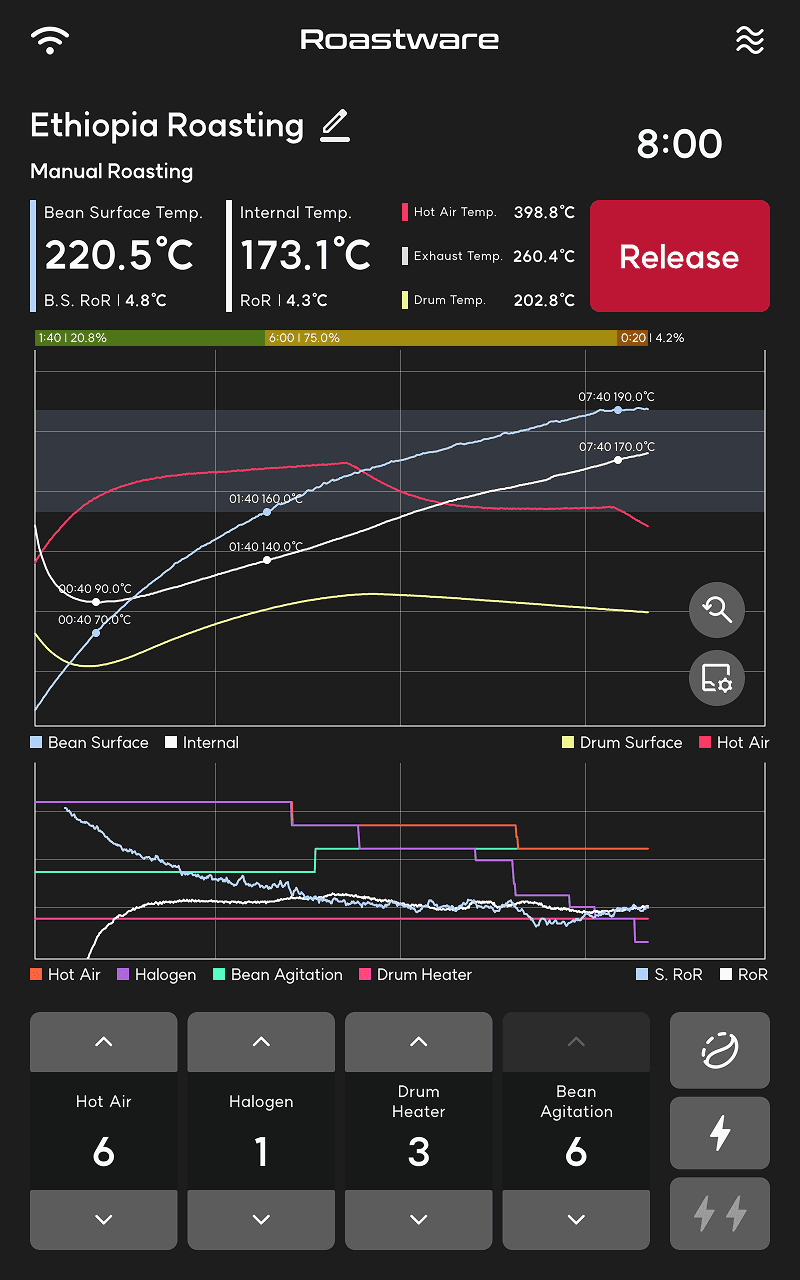
Now, you can visually monitor the roasting flow divided into three stages: [Drying - Yellowing - Development]. Beyond simple temperature changes, you can grasp the proportion of each phase in real-time to design more precise profiles.
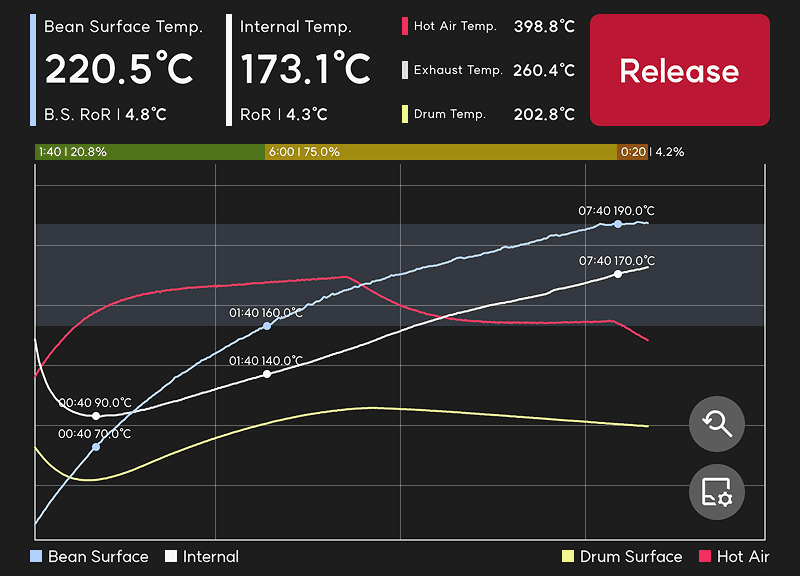
Integration of Phase Bar & DT/DTR Info
The DT (Development Time) and DTR (Ratio) information, previously displayed separately, has moved inside the Phase Bar at the top of the graph.
As roasting progresses, the length and ratio of each phase are displayed within the bar in real-time.
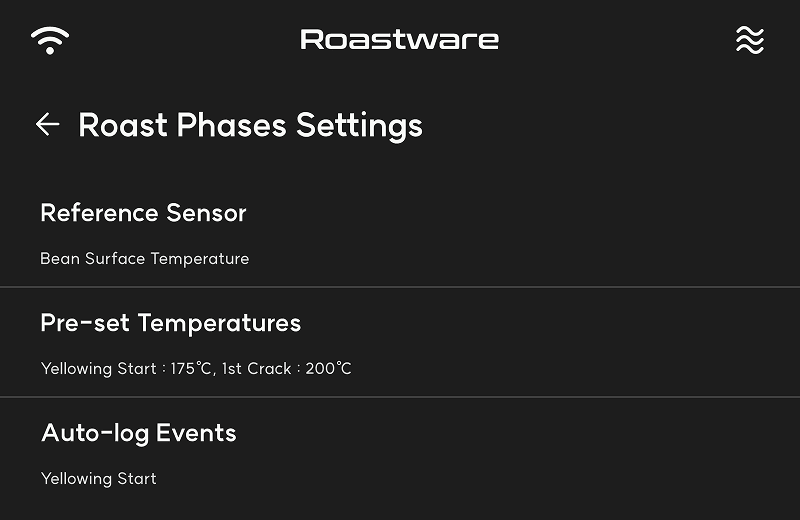
Personalized Settings Support
Detailed settings tailored to your roasting environment are available in 'Settings > Roast Phases Settings'.
Change Guidelines: You can freely change the reference temperatures for each phase to match your green coffee or roasting environment.
Auto-log Option: Choose whether to automatically log events when a specific temperature is reached. (Default: Only 'Yellowing Start' is set to auto-log.)
🔎 When Auto-log Option is On
Manual Input Priority
Even if auto-log is on, the moment the user manually presses the button takes priority.
(It does not overwrite the manual record even if the set temperature is reached.)Auto-correction upon Deletion
If you cancel (delete) a manually entered record, and the temperature has already passed the guideline, it will automatically re-log based on the guideline timing.
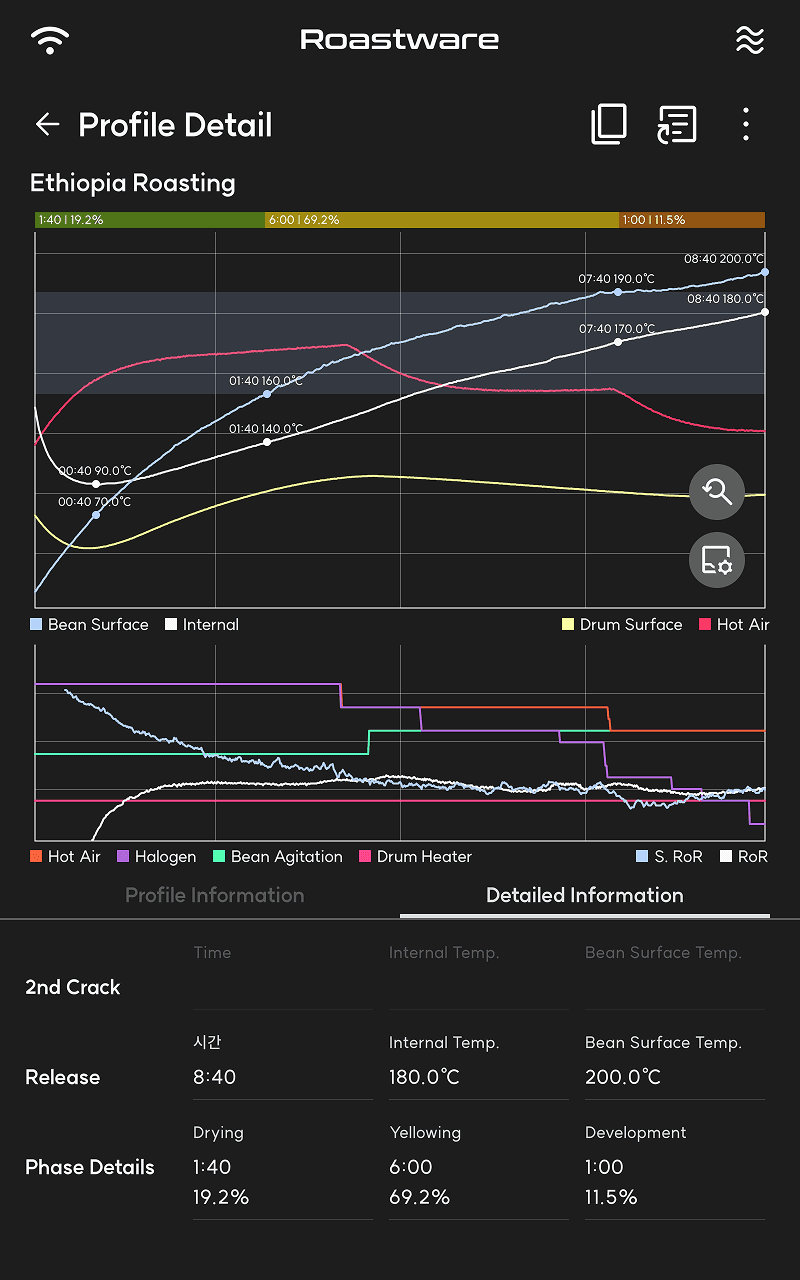
Addition of Phase Details in Detailed Information
After roasting is complete, you can check detailed data, such as duration for Drying, Yellowing, and Development phases, in the Detailed Information > Timeline tab.
⚠️ Notes
The provided default guideline temperatures are for reference only and may differ depending on the actual roasting environment.
For past profiles created before this update, the 'Yellowing Phase' will not be displayed in the detailed view due to data compatibility issues.
2. Revamp of Event Logging Buttons
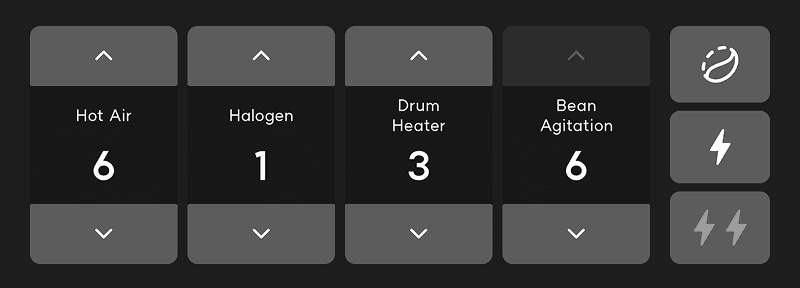
The button layout has been changed to record major roasting events more intuitively and accurately.
Added 'Yellowing Start' Button
A dedicated button has been added to clearly record the moment the green coffee turns yellow.
Separated Crack Buttons
The previously integrated crack button has been separated into 1st Crack and 2nd Crack.
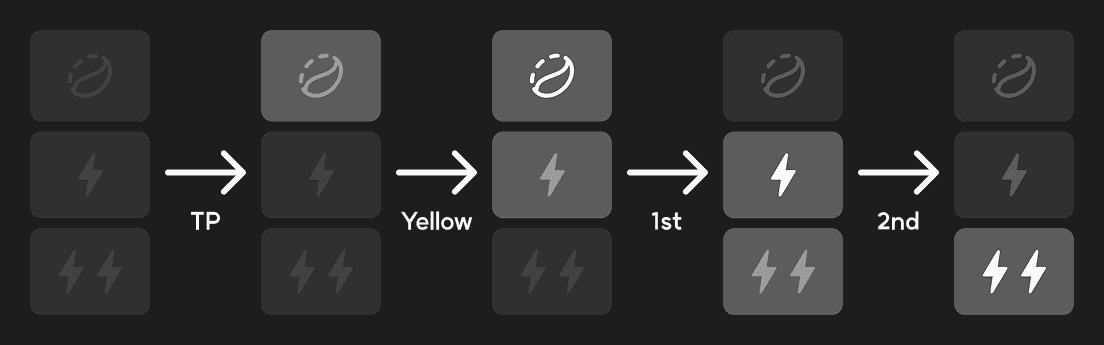
Change in Button Activation Logic
To prevent recording errors, buttons activate sequentially according to the roasting stage.
All buttons become active after entering the Turning Point (TP).
Pressing a button for a specific stage automatically deactivates the button for the previous stage.
(e.g., Pressing '1st Crack' deactivates the 'Yellowing Start' button.)
3. Support for Event Logging during Auto-Roasting
Recording buttons are now active even during Program Roasting or Auto-replication. Previously, event logging was not possible during auto-roasting, but with this update, roasters can manually record sensory events such as color changes or pop sounds in real-time while the machine runs automatically.
4. Auto-fill Batch Size for Manual Roasting
We have reduced the hassle when roasting consecutive batches. Now, when preparing for a manual roast, the batch size from the previous roast is automatically entered as the default value.
Remembers Previous Batch Size
The system remembers the batch size of the last manual roast performed and automatically fills it in when you enter the next roast.
Faster Batch Transition
When roasting multiple batches of the same size consecutively, you can start roasting more quickly without needing to enter the batch size every time.
5. Integration and Removal of Previous Guideline Features
As the newly added 'Roast Phases' feature replaces the existing guideline function, the previous guideline feature has been removed to prevent duplication and confusion. Experience more accurate roasting guidance through the enhanced Roast Phases display.
※ The example images are for reference only and may appear differently depending on the roaster in use.